 Mr Rawbot
Design the work. Delegate the build. Stay in control.
Mr Rawbot is a local command center for AI-assisted software work. Shape product ideas into specs and prototypes, hand implementation to Claude Code, Codex, or Ollama Cloud, and review every run without scattering context across chat windows, terminals, and browser tabs.

One loop from product direction to finished work
Mr Rawbot gives the messy parts of AI-assisted development a single home: product direction, generated prototypes, implementation runs, review evidence, usage, and handoff context. It is where you decide what should be built and keep track of what the agents did.

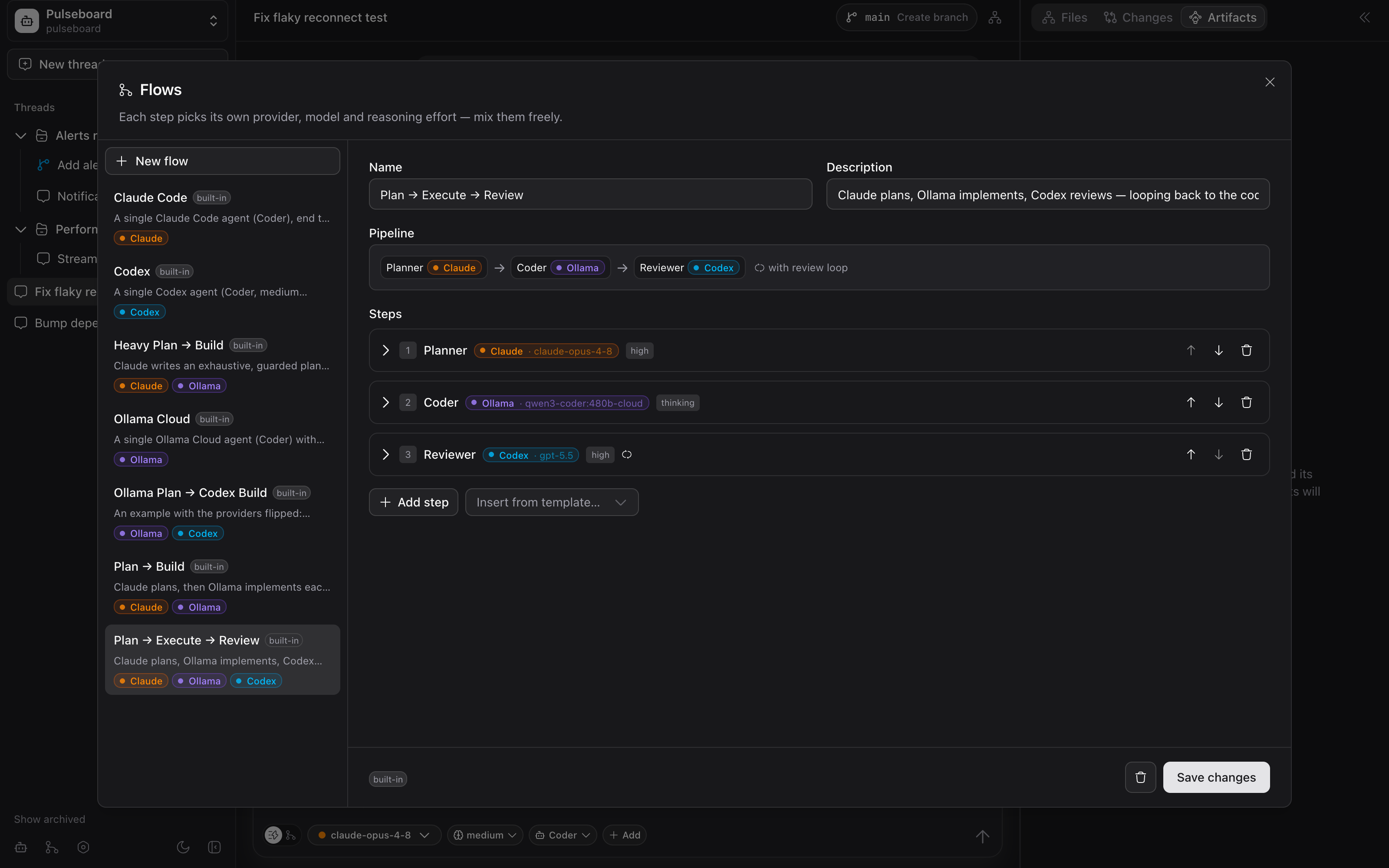
Give the right agent the right job
Some tasks need one strong model. Others need a planner, a builder, and a reviewer. Saved workflows let each step choose its provider, model, role, instructions, effort, and loop rule — so Claude, Ollama, and Codex can work as specialists instead of interchangeable chat tabs.
- Start with a single-agent run when the task is straightforward
- Use plan–build–review workflows when the work needs checks and handoffs
- Create custom workflows with provider-specific roles and completion rules
See the result before you accept it
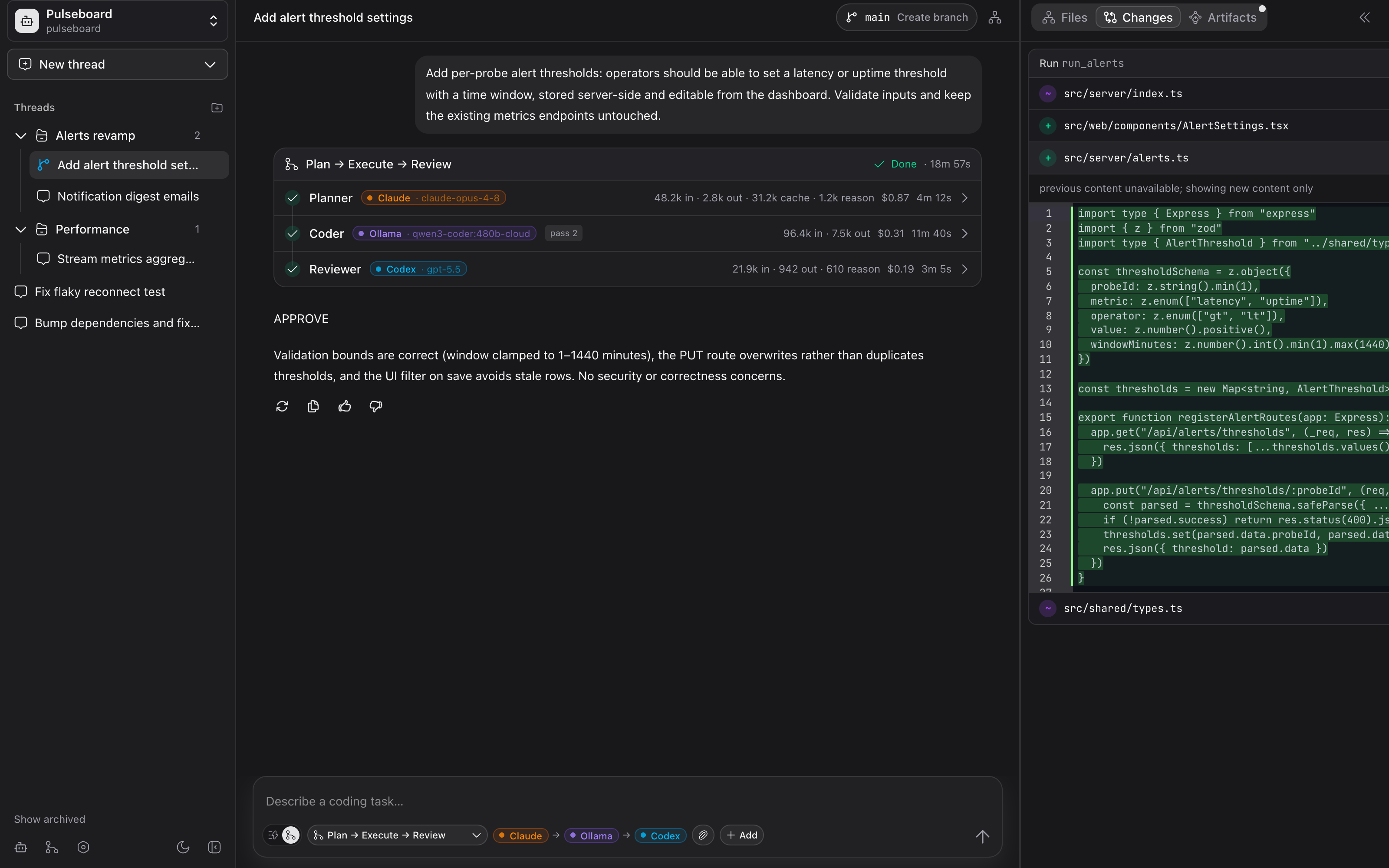
Agent output is only useful if you can inspect it quickly. Mr Rawbot keeps the generated changes, affected files, branch state, and pull request context next to the conversation, so review stays part of the workflow instead of a separate cleanup step.
- Browse the selected project and inspect generated edits in context
- Compare before-and-after changes inline when you need detail
- Track branch state, pull requests, commits, pushes, and merge readiness
Know what happened, what it cost, and why
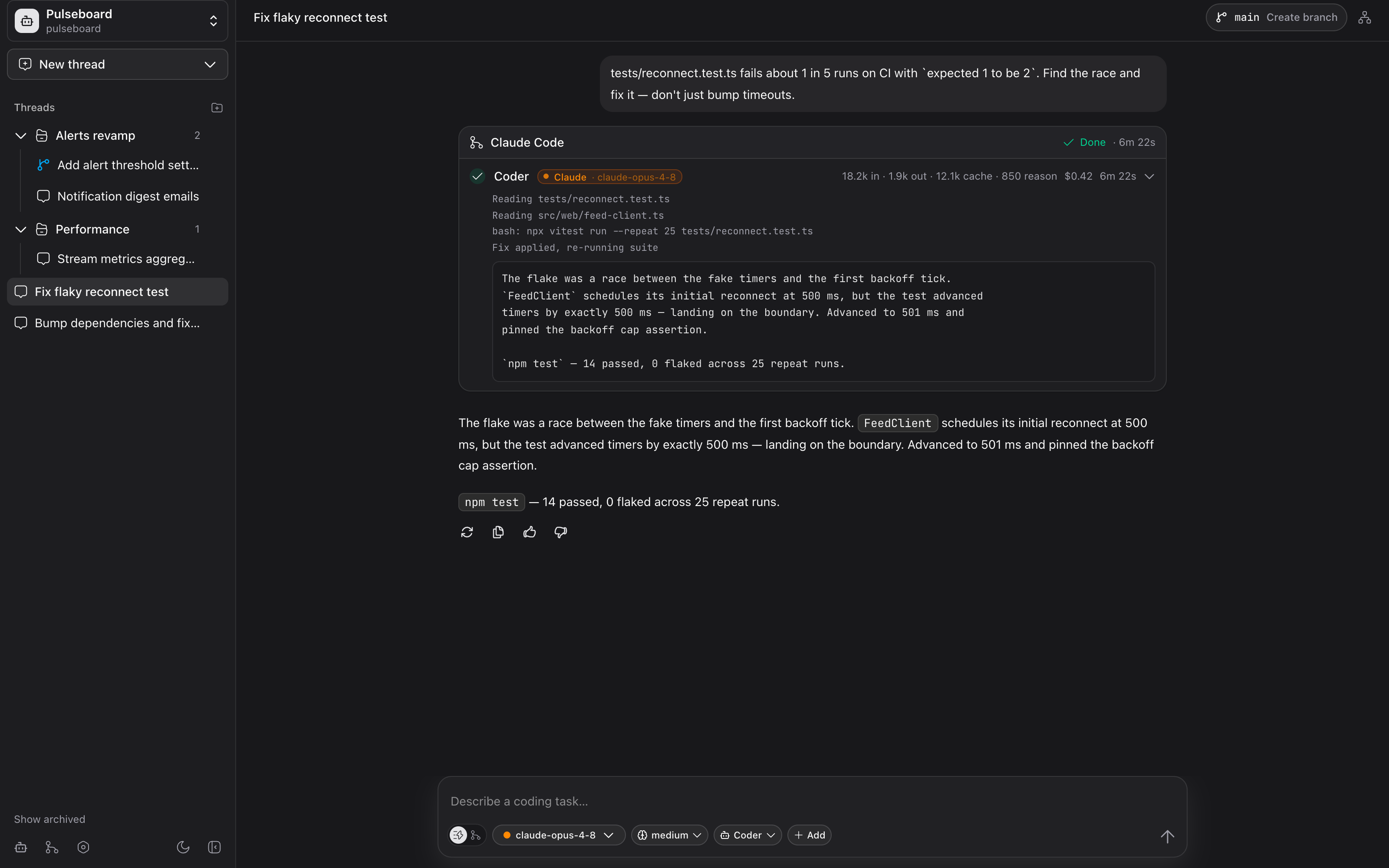
Every agent run leaves an audit trail: status, logs, duration, model, reasoning effort, token usage, and estimated cost. When a task goes sideways, the evidence stays attached to the run instead of disappearing into temporary console output.
- Live step timeline while the agent works
- Input, cached, output, and reasoning-token accounting where providers expose it
- Run history saved with the conversation that produced it
Shape the product before the code changes
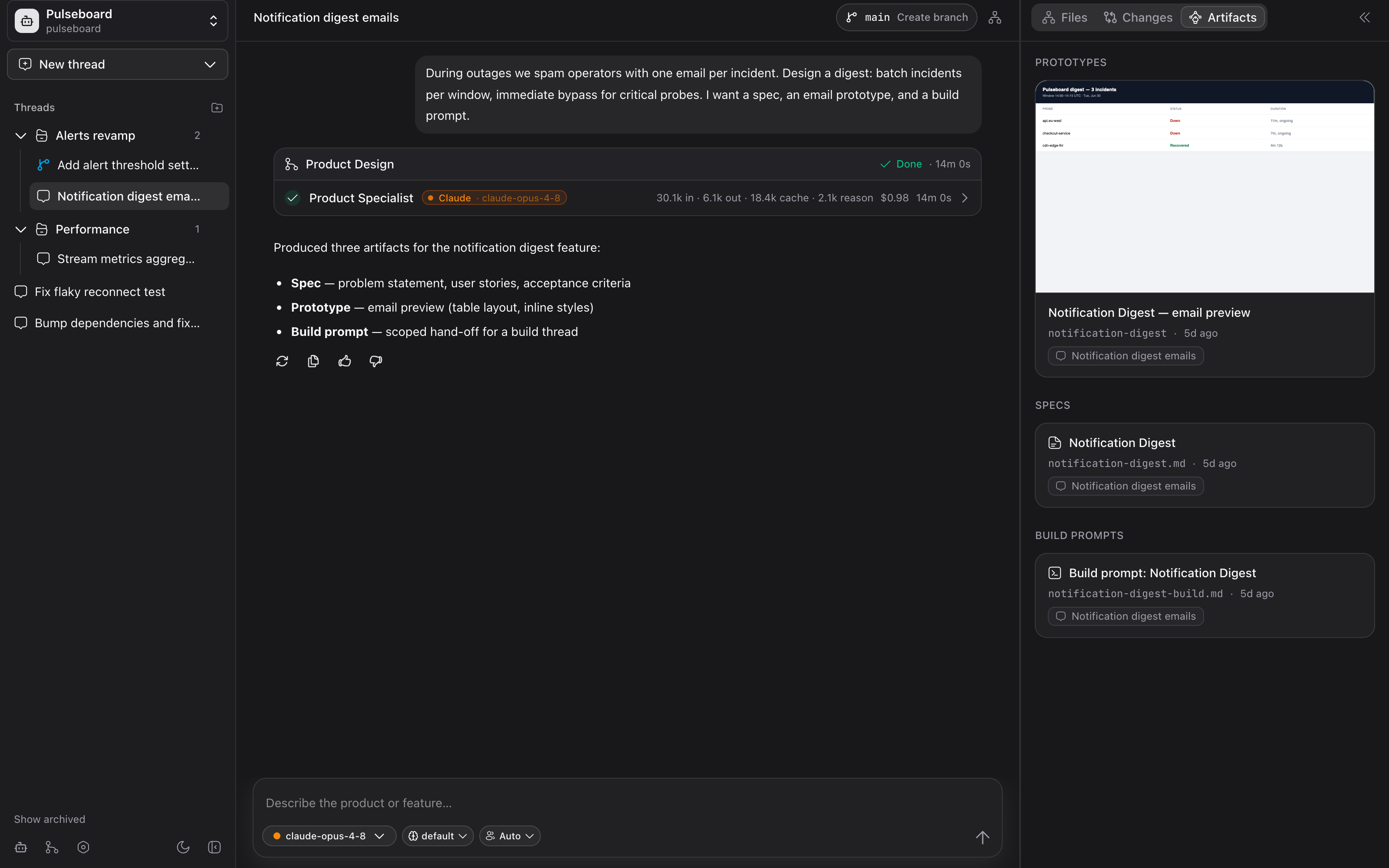
Product Design is its own thread mode, not just another workflow. The Product Specialist turns goals into specs and build prompts; the Product/UI Designer creates or revises high-fidelity HTML/CSS prototypes in an app-managed workspace. Use it to make the product decision first, then attach the artifact to implementation.
- Specs with user stories, acceptance criteria, and build-ready scope
- Multi-page HTML/CSS prototypes with embedded preview
- Build prompts that carry the visual and product decisions into implementation
Bring the agents you already trust
Claude Code
Use your local claude login for planning, implementation, tests, and broad codebase work through the Anthropic Agent SDK.
Codex
Use your existing codex login for focused builds, review passes, and app-managed Codex runs.
Ollama Cloud
Run an Ollama Cloud coding agent with project tools and local shell access, configured from Settings.
Choose an operating mode
Your machine is the control plane
Mr Rawbot runs locally with no hosted backend, no product account, no telemetry, and no .env file. Provider calls still go through the Claude, Codex, and Ollama accounts you configure; Mr Rawbot keeps the orchestration state, artifacts, runs, and settings on your machine.
- Threads, runs, artifacts, and settings are persisted locally in SQLite
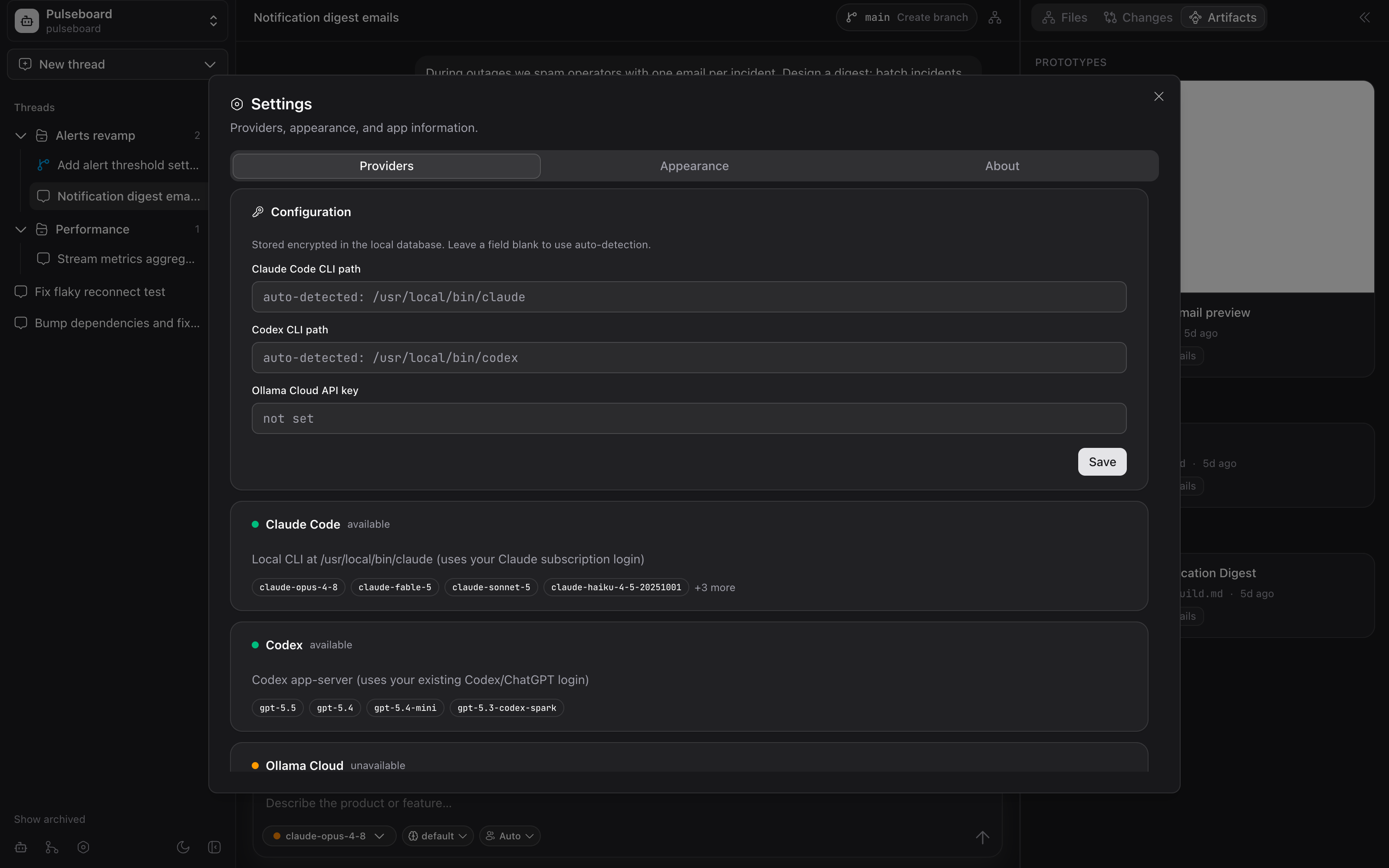
- CLI paths are auto-detected; provider secrets are encrypted at rest
- Project discovery skips VM mounts and container filesystems, and manual folder paths are supported
Install the desktop app or run it locally
Download the app
macOS builds ship as .dmg artifacts for Apple Silicon and Intel. The packaged app uses your system Node and local provider logins; because it is unsigned, clear quarantine once after installing:
# after dragging it to /Applications
xattr -dr com.apple.quarantine "/Applications/Mr Rawbot.app"
Run from source
Use the source build on any platform with Node.js 24 available. First-run setup happens inside the app under Settings → Providers.
git clone https://github.com/marcospcury/mrrawbot
cd mrrawbot && npm install
npm run dev    # web app at localhost:5173
npm run app    # native Electron window